
Sharing with friends
One code.
And the group is on the map.
Create a share, send the SHARE code or the QR, and you see each other on the map for the whole ride: positions, tracks, files and the same SOS.
How it works
Three steps.Then you set off together.
Whoever creates the code chooses the dates and attaches the files. The others join with the code or the QR and all end up on the same map.
- Everyone's routeThey stay on the map even if someone leaves and comes back.
- Roadbook and GPX attachedWhoever joins finds them ready.
- Start and end datesOn the chosen date tracking and files are deleted for everyone.
Step 1
You create the code
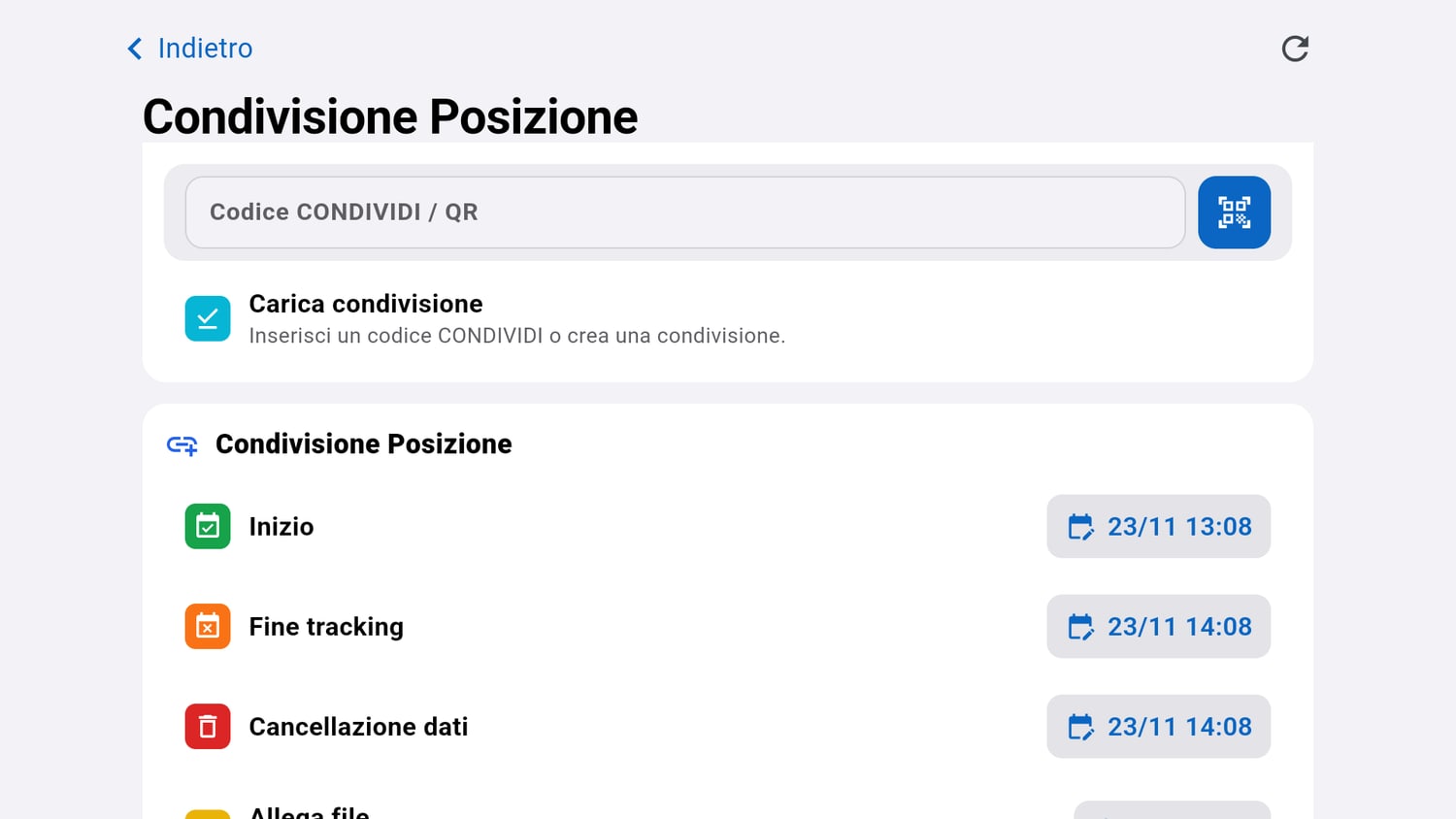
Choose the dates, attach roadbook and GPX from your Cloud space, generate code and QR.
Step 2
Your friends join
They type the code or scan the QR in Position sharing.
Step 3
You see each other
Online friends with their distance, everyone's tracks and the group's SOS alerts.
On the map
The groupalways in sight.
Online devices
Only the friends in the share, with their distance from you. One tap and you see them all on the map.
Rider tracks
Everyone leaves their own coloured trail. Turn them on and off with Show tracks.
Group SOS
Your friends see it, and only they do: they reply, reach you with Navigate and close it with Resolved.
It starts when you decide
The code can be loaded in advance: tracking and files start on the start date.
The history stays
Once tracking ends, the ride map can be viewed until the data is deleted.
Event and friends together
In a race you see your friends on your map and the organisers keep seeing you on theirs.
Two roles
Who creates.Who joins.
Whoever creates the code
- Attaches the filesRoadbook and GPX tracks already in your Cloud space.
- Generates code and QRA short code to send in a chat; your account decides how many friends can join.
- Updates or endsChange dates and attachments while keeping the same code, or close the share for everyone.
Whoever receives the code
- Joins in a momentTypes the code or scans the QR. All it takes to join is an ODOCAP account.
- Opens the attachmentsThe roadbook in the RoadBook, the track on the map. The PDF can also be converted to PRO.
- Leaves whenever they likeWith Leave share only their own files are deleted: for the others the ride goes on.
Tracking
No signal?The positions wait.
With no network ODOCAP stores up to 60,000 positions and sends them in order as soon as the signal returns, even with the screen off.
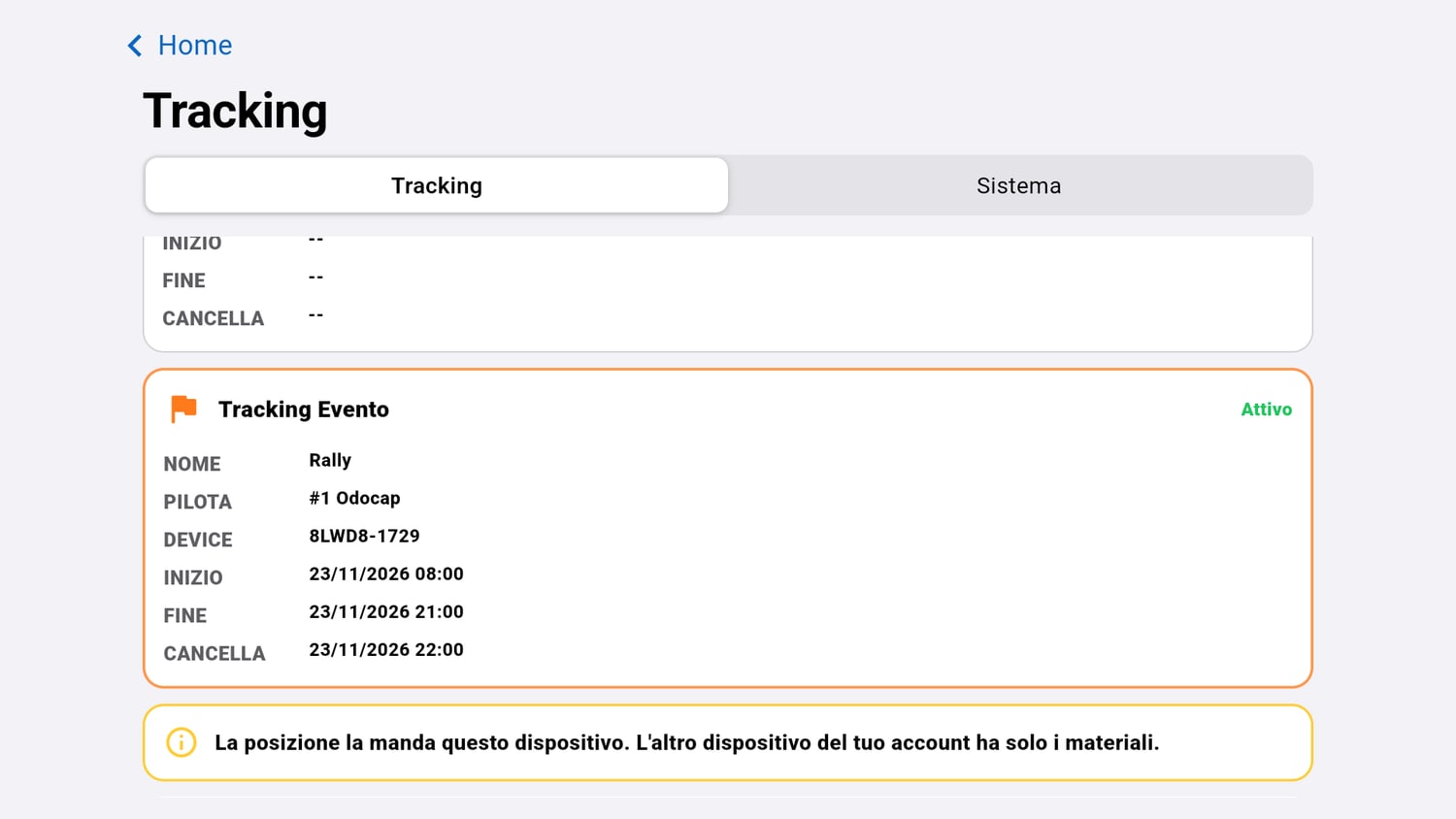
- Ready before you leaveTracking reminds you of Always allow and, on Android, Battery unrestricted: that way your friends won't lose you.
- Two devices, one riderWith tablet and phone on the same account, only one of them sends the position.
Ready to go
Download it today.Race tomorrow.
Thirty days' trial with everything included. Every control, one by one, is explained in the Guide.